Highlight any page.
Paste the notes anywhere.
Select text on any web page, add a note or a reaction, and walk away with markdown you can paste into a comment, a pull request, an email. On Substack, the comment is the shared annotation: anyone with Marginer sees it on the page, and replies in place.
How it works
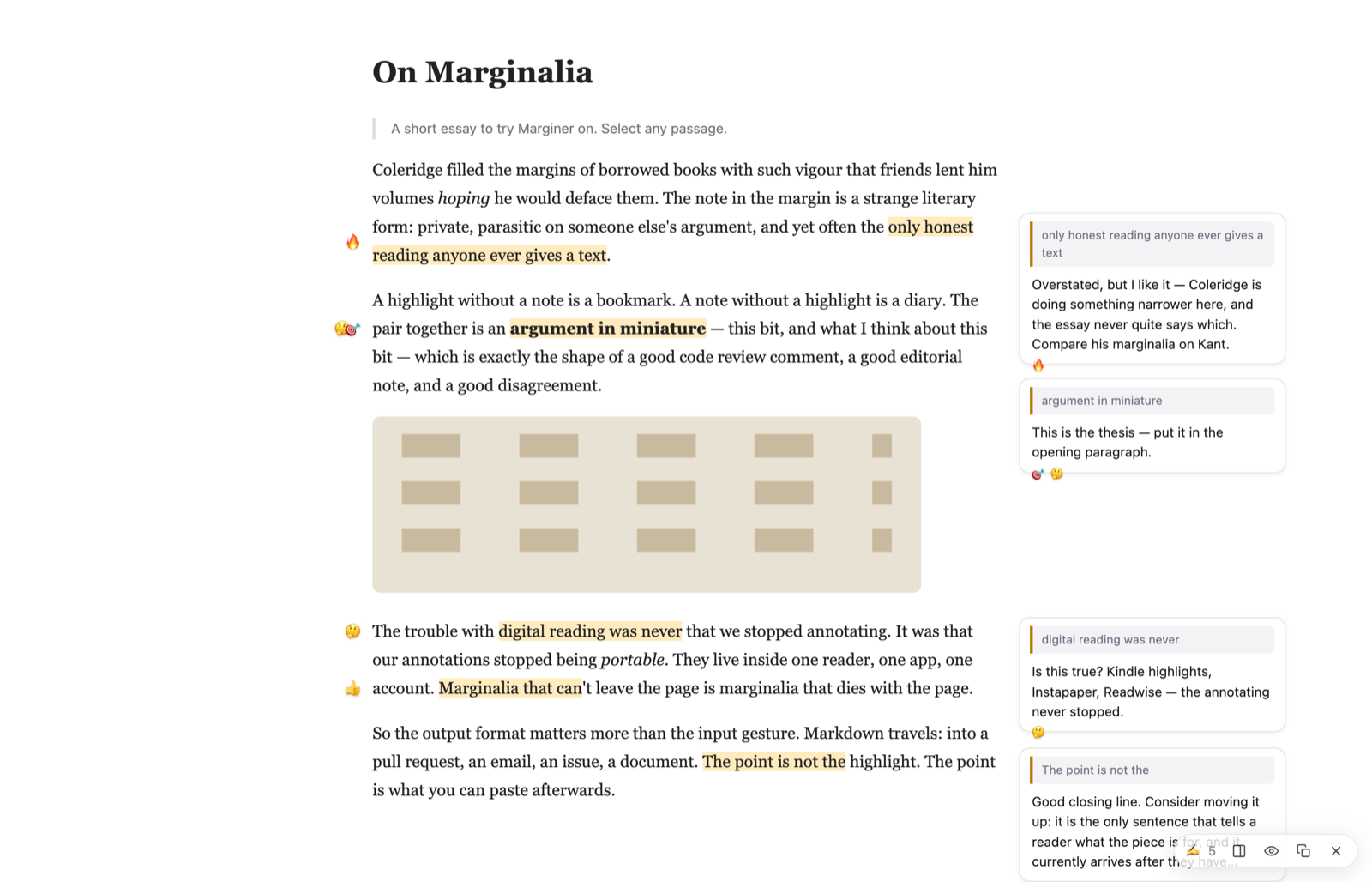
Select, note, react
The note panel opens on the selection. Type a note, tap a reaction, or type an emoji at the front — same thing.
Copy markdown
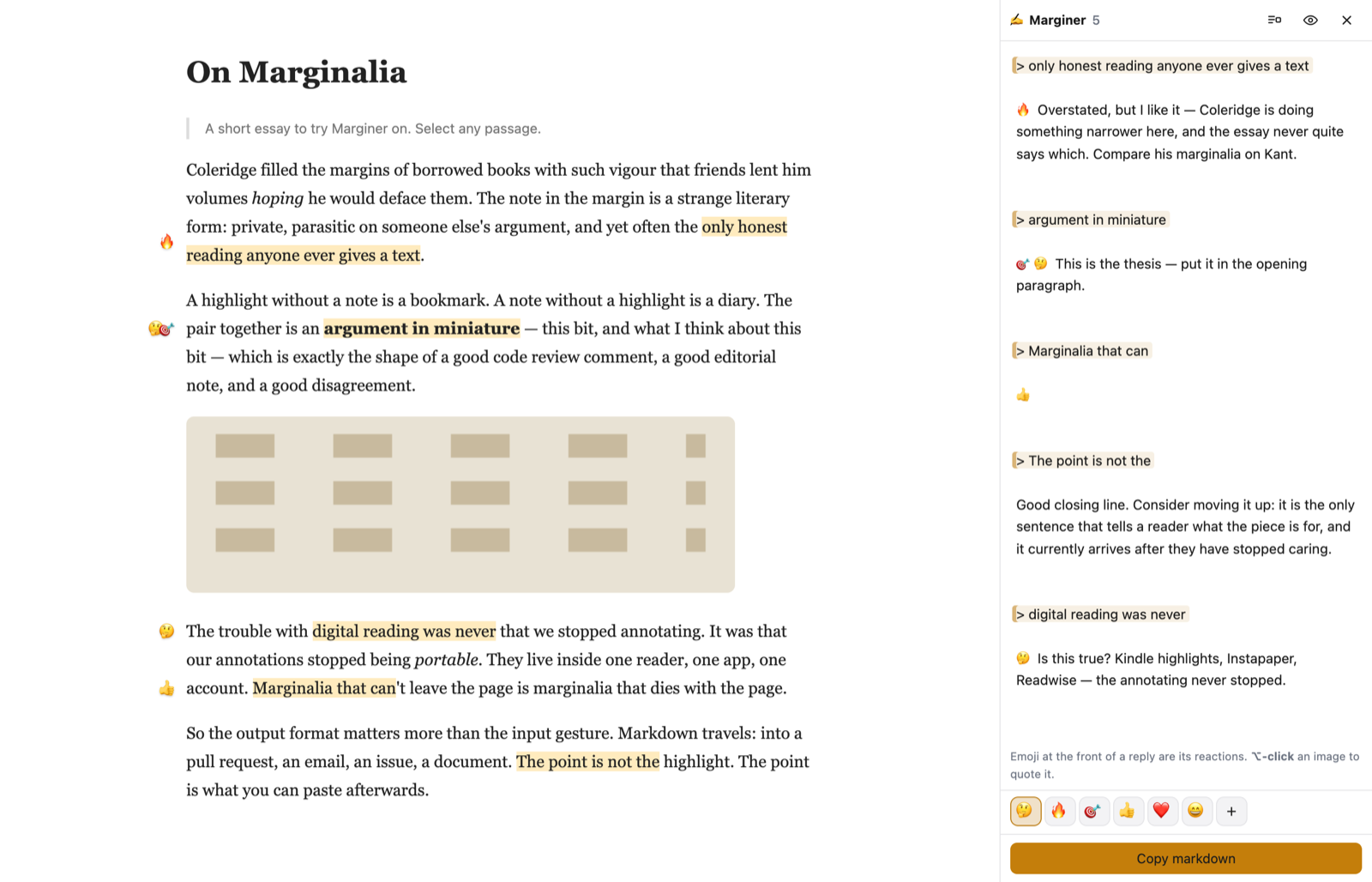
Your notes are one markdown document: > quote lines with the reply beneath each. Paste it into the post's comment box.
Read it in place
Anyone with Marginer on that page sees the comment's quotes highlighted, with the notes beside them — and can reply to each, in the comments.
The markdown is the storage format. There's no database and no account; a page's notes are one string, and that string is what gets saved, what re-anchors on the next visit, and what lands on your clipboard:
> the only honest reading anyone ever gives a text

🔥 Overstated, but I like it. Compare Coleridge on Kant.


> Markdown travels

👍

✍️ marginer.app — see these highlights on the page
The comments are the annotations
No server of ours is in the loop. The post's own comments are read (on Substack, through the same JSON the page itself loads), and every comment whose quotes are found in the article becomes a thread you can show on the page. The site keeps the comments; its identity, moderation and notifications apply. A hand-typed > quote reply counts just the same.
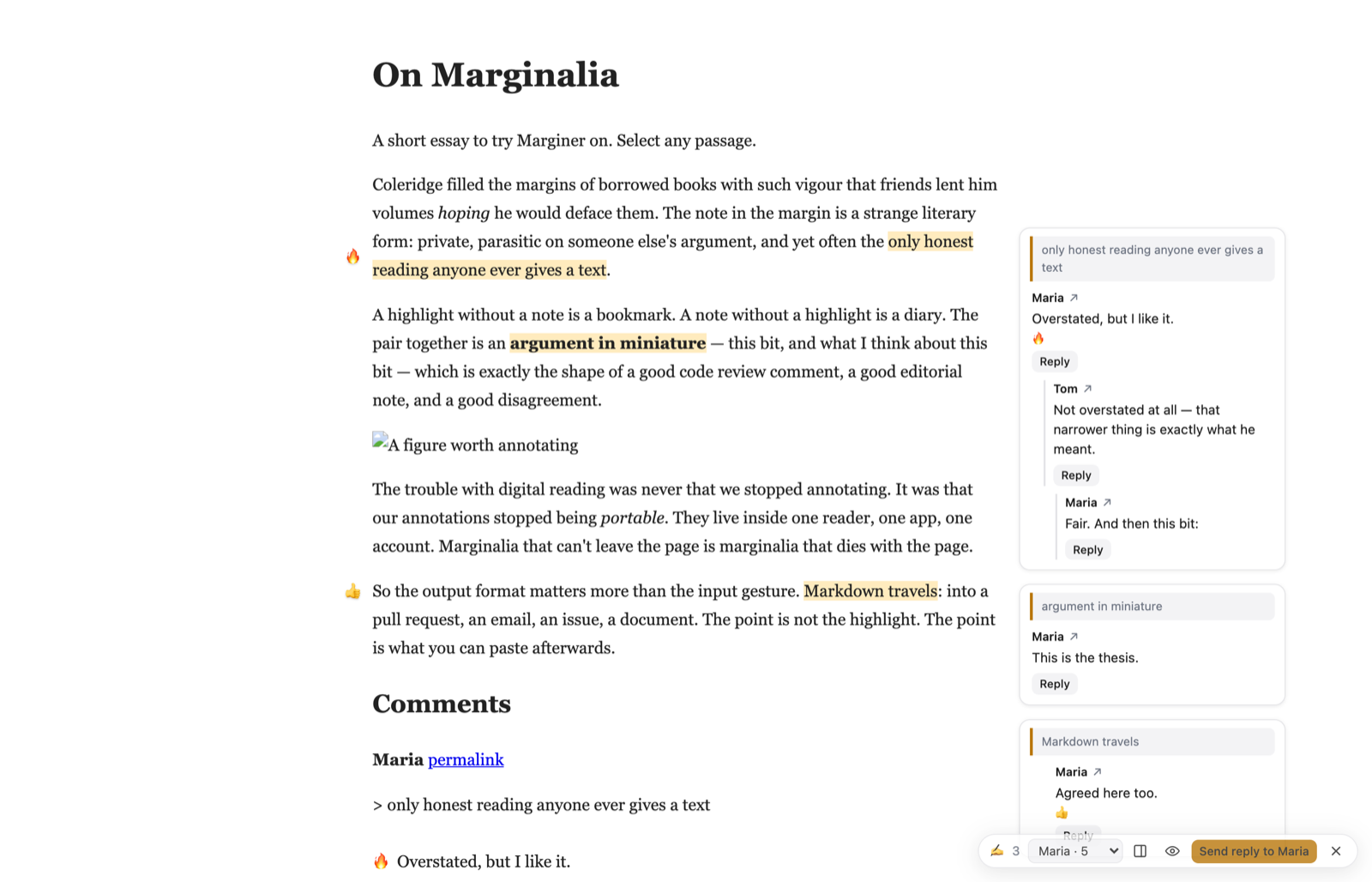
Replies are written the way email has always quoted: the passage nested under the words being answered.
> > the only honest reading anyone ever gives a text
> Overstated, but I like it.

I don't think it's overstated — that narrower thing is exactly what he meant.
The sidebar is the document
Install
Three ways to run the same tool. Notes never leave your browser.
Bookmarklet
Drag the button to your bookmarks bar; click it on any page. The whole tool rides inside the bookmark, so nothing is fetched and nothing is installed.
✍️ Marginer Sites with a strict Content-Security-Policy refuse bookmarklets. Substack doesn't; GitHub does.Userscript
With Tampermonkey or Violentmonkey, revisiting an annotated page brings your highlights back on its own, with a pill showing the count. ⌘⇧U opens it anywhere; ⚡ opts a site in, so it's always on there.
Install the userscriptExtension
Survives any CSP. Not on the Web Store yet — load it unpacked:
git clone https://github.com/huttj/marginernpm install && npm run buildchrome://extensions→ Developer mode → Load unpacked →extension/
| Bookmarklet | Userscript | Extension | |
|---|---|---|---|
| Install | drag a link | Tampermonkey | load unpacked |
| Shows a page has notes | on click | yes | on click |
| Works on strict-CSP sites | no | yes | yes |
| Notes stored in | site localStorage | site localStorage | chrome.storage |
Questions
Where do my notes go?
Nowhere. They're stored in your browser, keyed by the page's URL, as the same markdown you can copy. Marginer has no server and no accounts. The only thing that leaves your browser is what you paste into a comment yourself.
Why a comment, and not a share button?
Because the comment box already exists, the author already reads it, and everyone can read the notes as plain text whether or not they have the tool. Marginer only adds the in-place view. That also means the site's own rules apply: identity, moderation, notifications.
Does it work on sites other than Substack?
Highlighting and notes work on any page. Reading other people's comments in place needs an adapter for the site's comment system; Substack has one. Others are welcome — see the repo.
What happens if the page changes?
A note whose quoted text can no longer be found isn't thrown away: it's marked as unanchored, still shows in your document, and still exports.
Is it Hypothesis?
No. Hypothesis keeps annotations on its server, behind its accounts, invisible without the tool. Marginer's shared annotations are ordinary comments on the site, readable by anyone; the tool is just a better way to read and write them.